FlexiVIEW FV-1 Android TV, GoCAL Serial Debug Port Information
New Zealand Customers
You can now buy this fun Android Video Player direct from www.flexiview.co.nz
How to create FlexiView FV-1 OSK Firmware updates
Thanks to work done by Angus Gratton in discovering how to read and write the proprietary .OSK update file format, it's now possible to create your own FV-1 firmware images. The tools for doing this are on GitHub at https://github.com/projectgus/mboot-tools
He has also made great progress with running Debian Linux on this computer. Background and installation info available from the ProjectGus blog at http://projectgus.com/2012/01/mesada-flexiview-fv-1-androidtv-technical-review/ and http://projectgus.com/2012/02/debian-on-flexiview-fv-1/
Serial Port Pinout for debugging
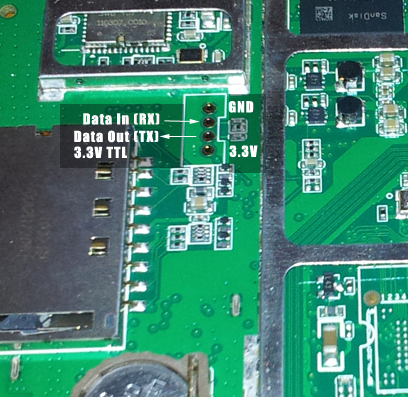
The FV-1 Android TV debug serial port speed is 115200 and the pin order that is GND, RX, TX, 3.3V - from the point of view of the FV-1 the data goes in on RX and gets sent out by TX.
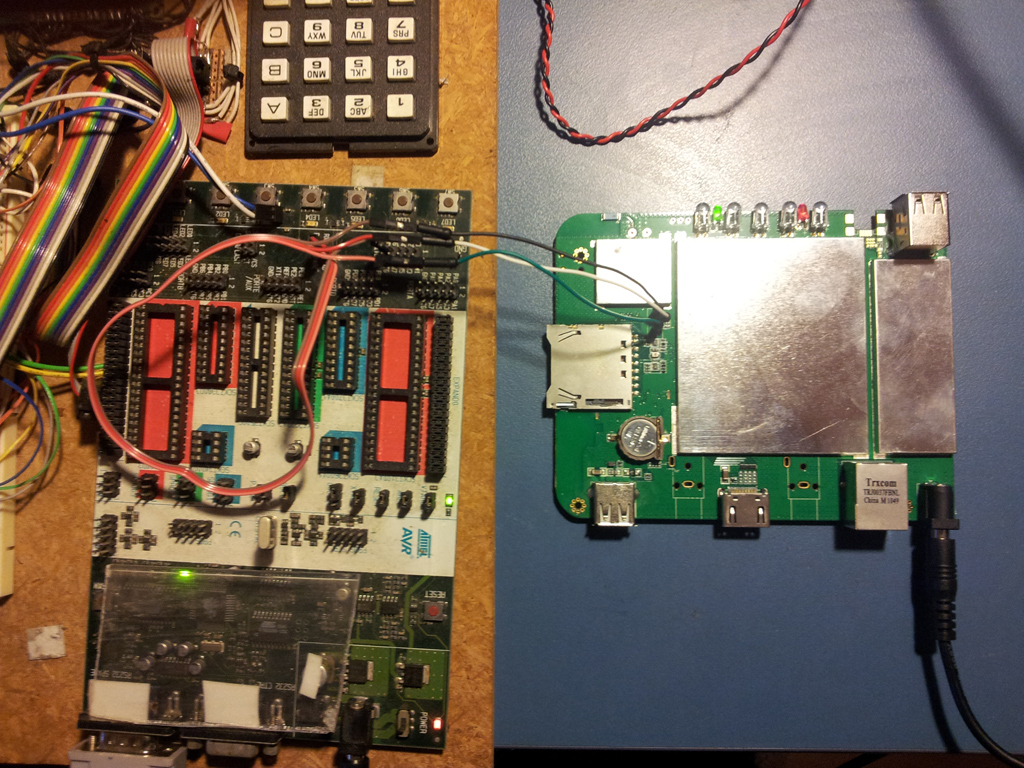
An STK-500 AVR development board was used to connect to the port as it has a spare RS-232 to TTL level shifter on it. Pictures of the setup are below.
FV-1 Serial Console Pinout
The gray shaded area below shows the pinout:
Here is the serial output from the FV-1 boot sequence:
+---------------------------------------------------+
| Mboot for android system |
| Ver:1.11 Build date:May 3 2011 |
| Mboot write by mesada corporation |
+---------------------------------------------------+
CPU: S5PV210 at 1000MHz(OK)
APLL = 1000MHz, HclkMsys = 200MHz, PclkMsys = 100MHz
MPLL = 667MHz, EPLL = 80MHz
HclkDsys = 166MHz, PclkDsys = 83MHz
HclkPsys = 133MHz, PclkPsys = 66MHz
SCLKA2M = 200MHz
start from sdmmc_ch0
mboot version:M1100150
Please select,Leave Time is 0 second ...
SECRETIC UUID:
0x4d,0x48,0x00,0x00,0x00,0x00,0x16,0x96,
0x00,0x00,0x03,0x11,0x25,0xf1,0x2e,0x9b,
WiFi-MAC: 8C-F9-XX-XX-XX-XX
initrd_start = 30c00040, initrd_size = 13cffc
Starting kernel ...
Uncompressing Linux................................................................................................................................................................................................................. done, booting the kernel.
copy: bad source 0
mout_audss: bad source 0
vic_pm_register: too few VICs, increase CONFIG_ARM_VIC_NR
vic_pm_register: too few VICs, increase CONFIG_ARM_VIC_NR
no memory for fimc0
init: cannot open '/initlogo.rle'
init: cannot find '/system/etc/install-recovery.sh', disabling 'flash_recovery'
sh: can't access tty; job control turned off
#
Also typing "ls" at the prompt returns:
d
etc
system
sys
sbin
proc
modules
init.smdkv210.rc
init.rc
init.goldfish.rc
init
default.prop
data
root
dev
#
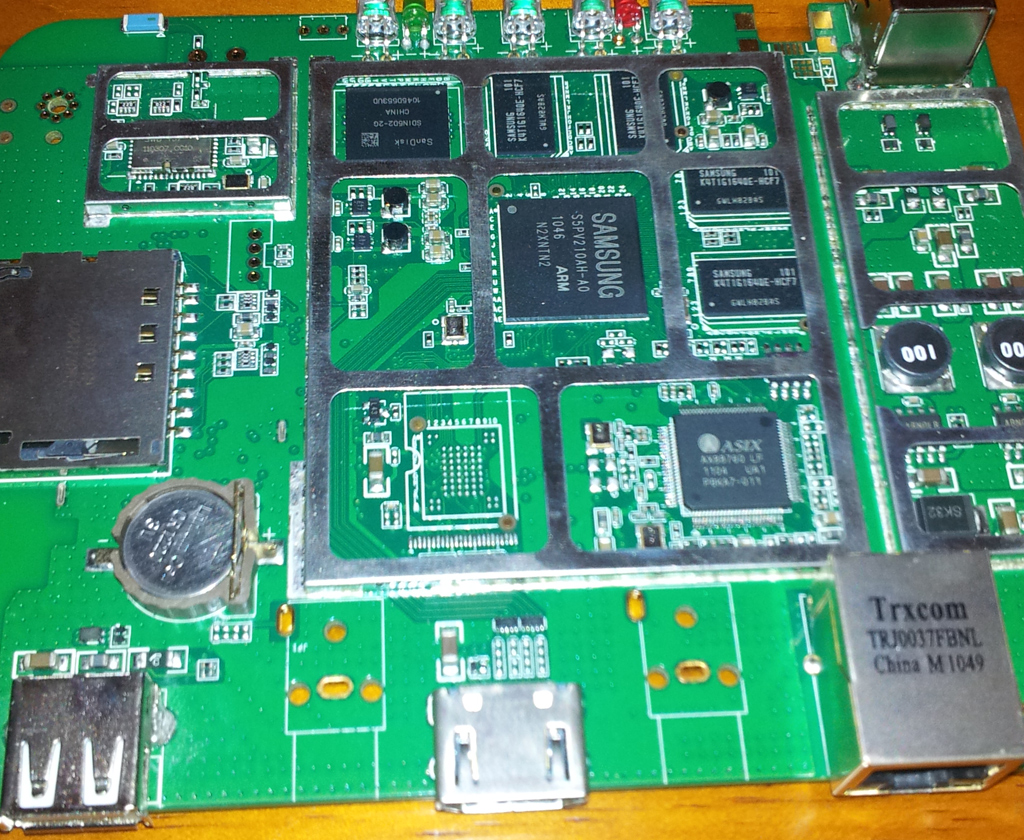
The FlexiVIEW FV-1 Android TV mainboard:
FV-1 Connected to STK-500 AVR Development Board
Website Design